
Laptop Rentals in Pondicherry – Flexible Plans for Work & Study
Looking for laptop rentals in Pondicherry for a course, client assignment or office team? Rentopay helps you enquire for equipment that suits your work and rental period. Whether you call the city Pondicherry or Puducherry, share your software needs, device quantity and delivery PIN code to receive a configuration-based quote without committing immediately to a purchase.
Tell us what you need. Compare your options. Plan your rental.

Laptop for Rent in Pondicherry: Choose Your Configuration
Choose a laptop for rent in Pondicherry around your applications. Rentopay’s range includes Lenovo, Dell, HP and Asus devices. Check the exact processor, RAM, SSD, screen and ports. The cards offer selection guidance; specifications and charges depend on stock and your quotation.

Lenovo Laptops

Dell Laptops

HP Laptops
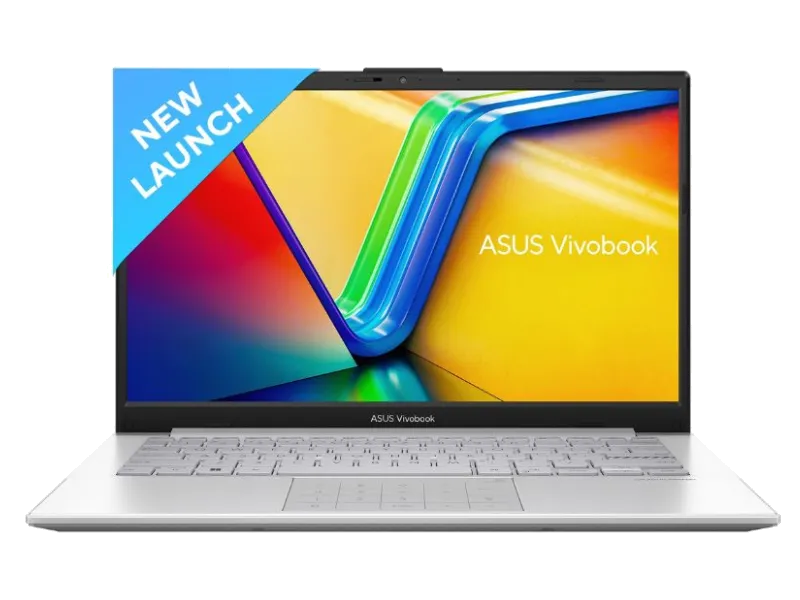
Asus Laptops
Why Choose Rentopay for Your Work & Study Needs?
Choosing a rental involves more than comparing a monthly rate. Discuss the equipment, delivery arrangements and agreement before booking, so your temporary setup is ready for the work ahead.

Choose the Right Configuration
Explain your everyday tasks, from browser-based office tools to coding or design applications. Ask for a configuration that meets their requirements, with enough memory and storage for your files. For creative work, specify whether a dedicated GPU or particular display is essential.

Understand Your Rental Quote
Ask for the complete payable amount, including monthly rent, applicable GST, any deposit and transport charges. Check the minimum rental period and how extensions are billed. A clear quote helps you compare equivalent devices and plan expenses for the full period.

Discuss Upgrades and Software
Let the team know if you need more RAM, a larger SSD or a particular operating system. Discuss any change of configuration during the rental, including revised pricing. Paid software licences should be confirmed separately rather than assumed to be included.

Confirm Delivery to Your PIN Code
Provide your Puducherry address, PIN code and start date. Delivery depends on stock and booking completion. Enquire early for scheduled classes or events and confirm the arrival date.

Support During Your Rental
Keep your booking details and support contact handy. Report a fault with a clear description and any relevant error message. Confirm repair, replacement and response terms in advance, especially when a working device is essential to your daily business.

Plan Your Rental Duration
Match the rental term to your assignment, semester or staffing plan. Ask about available monthly options, minimum tenure and renewal notice. If your end date is uncertain, discuss extension terms at the start so you can budget for a longer requirement.
Laptop Rentals in Pondicherry for Businesses, Professionals & Students
An office employee, independent designer and college student may need very different machines. Use the software, expected workload and period of use to decide what to request.

Startups and Growing Businesses
Equip new employees, training batches or temporary teams without purchasing devices immediately. Share quantity, employee roles, dates and delivery addresses. Ask about matching configurations and support for the complete order. Explore our corporate laptop rental options.

Freelancers and Remote Professionals
Before you rent a laptop in Pondicherry for a client project, travel or repairs to your own device, list essential applications. Check webcam, monitor and VPN compatibility. Developers should specify tools, memory needs and operating system.

Students and Academic Institutions
Students in Puducherry can enquire for classes, internships and projects. Follow your course’s software requirements, especially for engineering or creative applications. Check webcam, charger and Wi-Fi. For exams, confirm permitted devices and software installation rules with your institution.
How to Book a Laptop on Rent in Pondicherry
Follow these four steps to help the team match your requirement to a device, rental plan and delivery arrangement.
Step 1: Share Your Requirements
Share the applications you use, preferred specifications, device quantity and rental dates. Add your Pondicherry address and PIN code so availability and delivery can be checked.
Step 2: Review the Rental Quote
Review the proposed model, rent, GST, deposit and transport charges. Confirm tenure, payment schedule, required verification documents and support terms before accepting the quote.
Step 3: Confirm Delivery u0026 Check the Device
Agree the delivery date after booking requirements are completed. Inspect the screen, keyboard, ports, webcam and charger, and check that the supplied configuration matches your quote.
Step 4: Arrange Renewal or Return
Discuss any extension before the agreed end date. Back up your work, sign out of accounts and follow the approved data-removal instructions before returning the device and accessories.
Short-Term & Bulk Equipment for Projects
Enquire for project equipment for a training batch, temporary staff, demonstrations or events. Share quantity, dates and applications. Specify matching configurations and accessories for multiple devices. Confirm setup responsibilities and delivery arrangements before the activity starts.
- Avoid large upfront hardware costs
- Scale laptop quantity up or down as needed
- Get devices for temporary and urgent business requirements
- Share device quantity and required start date

When Is Renting the Right Choice?
Renting can be practical for a defined period, but buying may be more economical for continuous long-term use. Compare the full rental expense with an equivalent purchase and consider how much flexibility you need.

Laptop Rentals in Pondicherry: Frequently Asked Questions
These FAQs cover common questions about configurations, monthly charges, delivery and booking terms. Confirm the details for your chosen device before completing a rental in Pondicherry or Puducherry.
1. How much do laptop rentals in Pondicherry cost?
Rental charges depend on the selected model, specifications, quantity and duration. Ask for a quote that includes applicable taxes, any deposit and delivery or pickup charges. Confirm the minimum tenure before comparing monthly prices.
2. Can I rent a laptop in Puducherry for one month?
Share your start and end dates when enquiring. The team will confirm which plans and devices are available for that period. Ask about minimum rental duration, renewal notice and extension billing before booking.
3. Which brands can I request?
You can enquire about Lenovo, Dell, HP and Asus options in Rentopay’s range. Exact models depend on available stock. Choose the configuration around your applications, rather than assuming every laptop from one brand performs identically.
4. Can students use a rental laptop for college projects?
Students can enquire for coursework, internships and project requirements. Share the course software and any institution-specific instructions. Check permitted devices and installation rules for exams before booking a machine for assessment use.
5. Are bulk rentals available for businesses?
Businesses can request a quote for multiple devices for staff, training or temporary work. Provide quantity, specifications and deployment dates. Discuss matching configurations, accessories, billing and support terms for the complete order.
6. Can I request delivery to Lawspet or White Town?
Send the complete address and PIN code to check serviceability. Delivery charges and dates depend on the booking and location. Ask for confirmation for Lawspet, White Town or any other Puducherry neighbourhood before planning around an arrival date.
7. What documents or deposit will I need?
Verification requirements and any security deposit are confirmed for the booking. Request the amount, payment terms and refund conditions in writing. Provide documents through the process confirmed by Rentopay, rather than sending them to an unverified contact.
8. Does the quote include software and accessories?
Confirm the supplied charger, operating system and any additional accessories. Paid applications are not automatically included with hardware rental. Mention Office, design or accounting software requirements and ask about authorised licensing before installation.
9. What if the laptop develops a fault?
Use the support contact given with your booking and describe the problem. Assistance, repair or replacement follows the agreed terms and device availability. For critical work, confirm the support process and expected response arrangement before renting.
10. How do I extend or return the laptop?
Contact the team before the rental ends to discuss an extension or collection. Confirm revised charges and any early-return conditions. Back up files, sign out of accounts and return all supplied accessories using the agreed handover process.
Check Delivery Availability in Puducherry & Nearby Areas
Share your neighbourhood and PIN code to check delivery availability. Enquiries can include the areas below; the team confirms serviceability, charges and dates for each address:
Need a different platform or desk-based setup? Explore MacBook rental and computer rental, then send your requirements. The map shows Puducherry for location reference and does not mark a Rentopay branch. Include quantity, specifications, rental dates and address in your enquiry.