How Much RAM Is Good for a Laptop? A Complete Guide
For most people in India, 16GB RAM is the sweet spot. It keeps your laptop smooth with modern browsers, Office, Zoom/Meet calls, and a bunch of tabs. 8GB works if your use stays light (basic browsing, email, YouTube, documents). 32GB or more makes sense if you edit videos, work in heavy design tools, run virtual machines, or play newer games while streaming.
If you want a simple rule: choose the smallest RAM that never pushes your laptop into “struggling mode.” Struggling mode looks like constant lag, browser tabs reloading, fans spinning up for no reason, and the system using storage as emergency memory (swap/pagefile), which feels slow even on SSD.
How much RAM is good for a laptop: quick picks
Use this as a quick shortcut. Match your daily work to the closest row, then choose that RAM size (or the next step up if you multitask a lot).
|
What do you do most |
Good RAM |
Why it works |
|---|---|---|
|
Browsing, email, school work, OTT streaming |
8GB |
Handles light multitasking, but you must keep tabs/apps under control |
|
Office work + many Chrome tabs + video calls |
16GB |
Best balance of speed and value for most users |
|
Coding, light design, Lightroom, casual gaming |
16GB–32GB |
Extra headroom helps when tools and browsers run together |
|
Video editing, 3D, heavy gaming, VMs/data work |
32GB+ |
Prevents slowdowns when projects, caches, and assets grow |
If you’re also choosing specs, don’t treat RAM as the only performance lever. CPU class and SSD speed matter too. This guide on what makes a laptop fast helps you pick a balanced machine.
Why 16GB usually feels smoother

When people ask How Much RAM Is Good for a Laptop, I don’t start with marketing numbers. I start with what your apps do to memory in a normal day.
Modern Windows and macOS keep background services, security tools, and caching active. (For reference, Microsoft lists 4GB RAM as the minimum for Windows 11, but minimum is not the same as comfortable everyday use: Windows 11 system requirements.) Add a browser full of tabs, Office apps, and a video call, and 8GB can hit its limit fast. When that happens, the system starts using storage as backup memory (swap/pagefile), and you feel stutter and lag. 16GB gives headroom, so apps stay in memory, and the laptop stays responsive.
Quick test: work normally for 10–15 minutes and watch memory in Task Manager or Activity Monitor. If memory stays close to full and the laptop slows down, more RAM will help.
How to Check Laptop RAM Details?

Before deciding whether to upgrade, it’s essential to check your laptop RAM details to determine its current capacity. Here’s how:
- Press Ctrl + Shift + Esc to open Task Manager.
- Click on Performance > Memory to view RAM details.
- Alternatively, go to Settings > System > About for basic memory information.
Best RAM size for your laptop use case
If you’re buying today and still wondering How Much RAM Is Good for a Laptop, use these workload buckets.
8GB (only for light use)
Choose 8GB if you mainly browse, stream, and work on documents, and you do not keep dozens of tabs open.
16GB (best value for most people)
Pick 16GB for office work, online classes, remote work, research with many tabs, and everyday programming.
32GB+ (for creators and power users)
Go 32GB if you edit video, work on large design files, run virtual machines, or game while streaming. 64GB is rare, but useful for heavy data work and multiple VMs.
Two checks before you buy or upgrade
- Upgrade path: Many thin laptops have soldered RAM. If it’s soldered, you must buy the right capacity upfront.
- Performance setup: Dual-channel memory (two matched sticks) can improve responsiveness, especially with integrated graphics.
Mac unified memory
Unified memory on Apple Silicon is still RAM shared across CPU and GPU. It’s fast, but it does not replace capacity. If your work is heavy, choose 16GB or more.
How to check RAM in a laptop (Windows and Mac)
If you’re deciding whether to upgrade, first confirm what you already have.
Windows 11 (fastest method)
- Press Windows + I (Settings)
- Go to System → About
- Look for the installed RAM
Need more ways (like System Information or Command Prompt)? This quick guide helps: how to check RAM on Windows 11.
Windows (for details like slots and speed)
- Press Ctrl + Shift + Esc (Task Manager)
- Click Performance → Memory
- Check Total RAM, Speed, and Slots used
macOS
- Open Activity Monitor
- Go to the Memory tab
- Watch Memory Pressure (green is good, yellow/red suggests you need more RAM)
Apple’s explanation of Memory Pressure is useful when you’re deciding on an upgrade: check if your Mac needs more RAM.
If you want a quick shortcut: when your laptop slows down, open Task Manager/Activity Monitor and see whether memory stays consistently high while you work.
Laptop RAM cost and laptop RAM price in India
Many readers ask two things together: How Much RAM Is Good for a Laptop, and what will the laptop RAM price look like in India?
Laptop RAM price changes often because it depends on:
- Type: DDR4 vs DDR5 (not interchangeable)
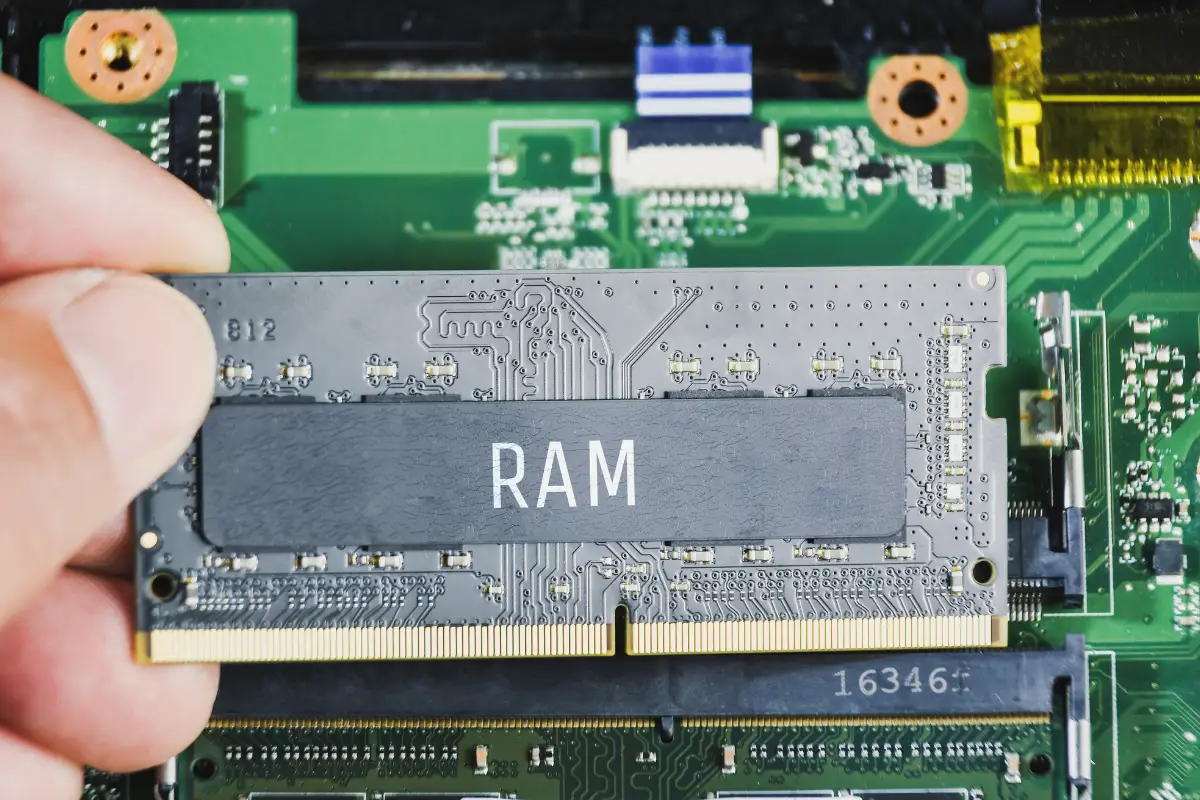
- Form factor: SO-DIMM (laptop) vs desktop DIMM
- Capacity: 8GB, 16GB, 32GB
- Brand and warranty
As a practical working range in India:
- 8GB DDR4 laptop RAM often falls around ₹1,500–₹3,500
- 16GB DDR4 laptop RAM often falls around ₹3,000–₹6,500
- DDR5 usually costs more than DDR4 for the same capacity
Two important cautions:
- Match what your laptop supports. Don’t buy DDR5 for a DDR4 laptop.
- Check the maximum supported RAM. Some laptops cap out at 16GB or 32GB.
If you want to avoid guessing compatibility, use a trusted scanner tool (or check the laptop service manual). For example, the Crucial System Scanner can help identify compatible memory for many systems, and Crucial also explains memory speeds and compatibility basics. And if your laptop still uses an HDD, upgrading to an SSD often gives a bigger “feel” upgrade than RAM alone. See how to upgrade a laptop HDD to SSD.
Choose the right RAM without overspending

The best answer to How Much RAM Is Good for a Laptop is the one that matches your bottleneck, not your fear of missing out.
Most slow-laptop complaints come from either low RAM or slow storage. So diagnose before you spend.
- Check memory usage during your real work.
- If memory stays near full and the laptop lags, RAM is the bottleneck.
- If your laptop still uses an HDD, switch to an SSD first, then revisit RAM.
If your need is short-term (a project, corporate event, editing sprint), renting a higher-RAM laptop can be smarter than buying parts. Rentopay lets you scale specs up and down across India.
What RAM does and why it affects laptop speed
RAM is your laptop’s fast workspace. When RAM runs out, the system uses storage as backup memory (swap/pagefile). That keeps things running, but it feels slow, even on SSD.
Frequently Asked Questions About Laptop RAM
1) How much RAM is good for a laptop for everyday use?
For everyday use in India, 16GB is the safest choice. If you only browse and do documents, 8GB can work.
2) Is 8GB RAM enough for Windows 11?
It can be enough for light use, but 8GB can feel tight with many tabs and video calls. If you want smooth multitasking, go 16GB.
3) Is 16GB RAM good for a laptop for office work?
Yes. For Office apps, browser tabs, and meetings, 16GB usually stays smooth.
4) How much RAM do I need for programming?
Most coders do well with 16GB. If you run Docker, Android Studio, or virtual machines, consider 32GB.
5) How to check RAM in a laptop?
On Windows: Settings → System → About. For details: Task Manager → Performance → Memory. On Mac: Activity Monitor → Memory and check Memory Pressure.
6) Can I upgrade laptop RAM?
Only if your model has RAM slots. Many thin laptops have soldered RAM, so you must choose the right capacity when you buy.
7) What is the laptop RAM price and laptop RAM cost in India?
It varies by DDR type and brand. As a rough range, 8GB DDR4 often costs ₹1,500–₹3,500 and 16GB DDR4 ₹3,000–₹6,500. Prices move, so check current listings.
Final word: pick RAM based on your real day, not marketing
If you remember one line, remember this: How Much RAM Is Good for a Laptop usually comes down to 16GB for most people, and 32GB+ for heavy creation or VMs.
If you want the safest recommendation, 16GB is good for most laptops today. Choose 32GB+ only when your work demands it, and stick with 8GB only when your use stays light or you can upgrade later.
If you feel stuck because your laptop slows down during meetings, tabs reload, or editing tools freeze, tell Rentopay what you do daily. We’ll suggest a spec that fixes the problem without overspending, and you can rent the right laptop for your workload across India.