Laptop Rental for Employee Onboarding: A Practical Checklist
Hiring can move faster than permanent hardware procurement. A business may need devices for a group of new employees, temporary staff, contract workers or a project team before its long-term equipment plan is complete.
Laptop rental can be considered as one way to bridge that planning gap. The useful starting point is not a model list or a price assumption. It is a clear onboarding brief that connects each employee role, location and joining date with a suitable device requirement.
Use this checklist to prepare that brief before you speak with a rental provider. Exact models, quantities, configurations, commercial terms, service or delivery coverage and availability should be confirmed during quotation.
1. Confirm How Many Employees Need Devices
Start with a named onboarding schedule rather than a rough headcount. Record the number of people joining, their expected start dates and whether each requirement is temporary, project based or linked to delayed permanent procurement.
It is also sensible to identify whether the hiring plan may change. If an extra system could be needed for a late joiner, a damaged device or a revised team allocation, include that possibility in the discussion without assuming that any reserve quantity is automatically available.
- Employee count: List confirmed joiners separately from tentative hires.
- Joining dates: Group people by the date on which their device must be ready.
- Requirement type: Note whether each device is for onboarding, a temporary assignment, contract work or a project team.
- Possible changes: Tell the provider if hiring numbers are still moving so the final quantity can be reconfirmed.
2. Identify the Work Each Employee Will Do
Device requirements should follow the work. A standard office user who mainly handles email, browser applications, documents and video meetings may have different needs from a developer, designer, analyst or video editor.
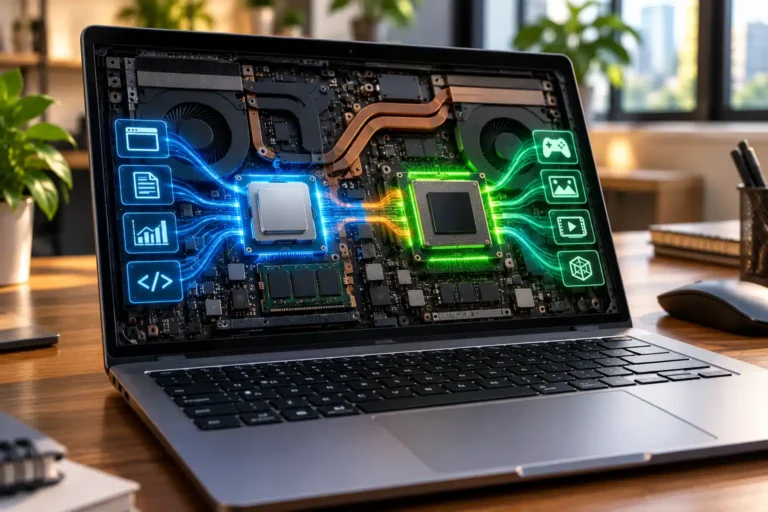
Create simple role groups and describe the main applications or workload for each group. Development work may depend on build tools, local environments or virtual machines. Design and video work may require more memory, storage, display capability or graphics performance. Heavier technical workloads should be discussed explicitly rather than treated as general office use.
This role map helps a rental provider discuss suitable options, but it should not be read as a promise that a particular model or configuration is in stock. Ask for the exact device details in the quotation.
3. Decide the Required Laptop Configuration
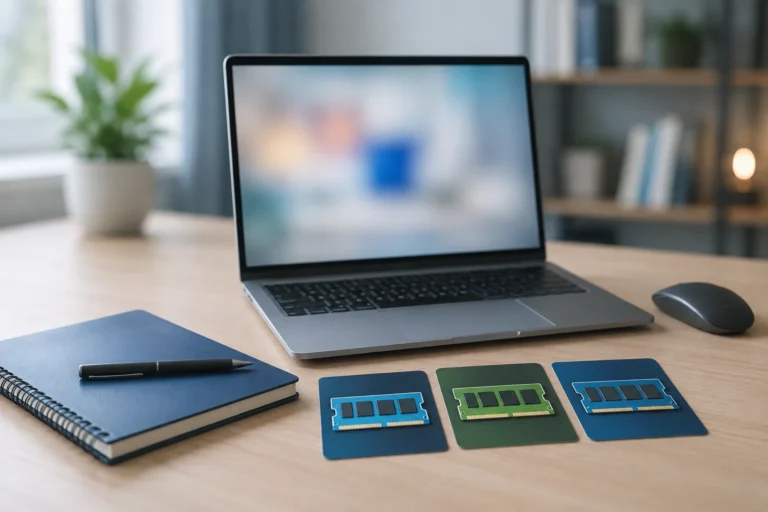
Turn each role group into a minimum configuration brief. The brief should cover the processor, RAM, storage, operating system, display, ports and graphics requirements where relevant. Include any practical constraints, such as the need to connect an external monitor, a wired network or a role-specific peripheral.
- Processor: Match the processor class to the applications and multitasking load.
- RAM: Consider how many applications, browser tabs or development tools will run together.
- Storage: Estimate local file, application and project storage needs.
- Operating system: Confirm the edition and compatibility required by company software.
- Display and ports: Note screen-size preferences and required HDMI, USB, network or other connections.
- Graphics: Specify when a workload depends on dedicated graphics or other specialist capability.
For more detail, use Rentopay’s RAM guidance and processor guide as planning references. Final specifications should still be checked against the applications your team actually uses.
4. Estimate the Rental Duration
Estimate how long each device group will be required. Different onboarding situations can have different time horizons: a temporary induction period, a probation or project period, a seasonal hiring cycle, a contract assignment, or the interval before permanent equipment arrives.
Use dates where possible. Share the expected start date and a working end date, then ask how extensions, early returns and changes are handled. Do not assume a minimum or maximum rental tenure; confirm the available duration and the relevant terms with the provider.
5. Confirm the Employee Location
A device plan must identify where each employee will receive and use the laptop. Record the city, office location, remote-work address where relevant, and whether the requirement covers one location or several.
For distributed teams, group the request by city and joining date. Ask the provider to confirm service/delivery coverage for each location and the delivery arrangements that can be offered. Coverage should not be interpreted as a Rentopay office in every city.
6. Plan Device Setup Requirements
Separate the physical device requirement from the company’s onboarding setup. Decide which operating system is needed, which applications employees require, how user accounts will be created, whether accessories are needed, and which security policies the company must apply.
Then confirm responsibilities. Ask what arrives with the device and what your internal IT team must prepare. Do not assume that a rental provider installs business applications, creates user accounts or applies a particular security configuration unless those services are specifically confirmed.
- Required operating system and compatibility
- Business applications and licence ownership
- Email, identity and access accounts
- Mouse, keyboard, headset, charger, bag or display requirements
- Company security, access and acceptable-use policies
- Named owner for final readiness checks before the employee starts
7. Clarify Support and Replacement Terms
Support and replacement conditions should be understood before the rental is approved. Ask the provider to explain the support scope, the process for reporting an issue, the conditions under which a replacement may be considered, responsibility for damage and the return procedure.
Record the confirmed process in the onboarding plan and tell employees whom to contact first. Avoid building an internal schedule around an assumed response time or replacement guarantee. Any service commitment should come from the provider’s confirmed quotation or agreement.
Rentopay’s guide to questions before renting laptops in bulk provides a wider checklist for comparing terms before a decision.
8. Plan for Employee Offboarding
The return process should be designed at the same time as onboarding. Assign responsibility for device collection, track the rental end date, define how company accounts and data will be handled, and decide who can approve an extension when an employee or project continues.
Your organisation should apply its own security and access-control procedures. NIST guidance on enterprise telework and BYOD security supports the use of organisational policies for remote-access devices, while a CISA offboarding checklist highlights the need to coordinate accounts, access and equipment during employee separation.
Ask the rental provider to confirm its return requirements. Do not assume a particular data-erasure, sanitisation or security procedure unless it is documented and agreed.
9. Information to Share When Requesting a Quote
A concise requirement summary helps the provider understand the request and identify the points that still need confirmation. Prepare the information below even if the enquiry form does not contain a dedicated field for every item.
- Company name and contact person
- City or cities where the devices are required
- Number of laptops
- Expected rental duration
- Preferred or minimum configuration
- Expected joining or deployment date
- Role groups and any special requirements
Commercial terms, exact models, quantities, configurations, availability and service/delivery arrangements should be confirmed in the quotation rather than inferred from general website content.
10. How Rentopay Can Support Business Requirements
Businesses can contact Rentopay to discuss laptop-rental requirements for new employees, temporary staff, contract workers and project teams. The Corporate Laptop Rental page is the main place to review the business enquiry process.
During quotation, confirm the exact models, quantities, configurations, pricing, availability and delivery arrangements for your requirement. If your team is also comparing company-issued devices with employee-owned hardware, read Laptop Rental vs BYOD for the planning trade-offs.