Laptop vs Workstation Rental for Technical Teams: How to Choose
Technical teams do not always need the same computer category. A portable laptop may be appropriate for software work and collaboration, while some engineering, rendering, simulation or data workloads may call for a workstation-class system.
The useful comparison is not based on the most powerful specification. It starts with applications, data sizes, portability, sustained workload, graphics needs, displays, operating system and the places where people will work.
This guide compares laptop vs workstation rental for planning purposes. It does not promise that a particular model, configuration, benchmark, stock position, price or service level is available. Confirm the exact requirement with the provider.
1. Start With the Software and Workload
List the exact applications and the tasks performed in them. Opening a project file is different from compiling a large codebase, running several virtual machines, rendering a scene, analysing a large dataset or working with a complex CAD assembly.
- Applications and required versions
- Operating system and driver compatibility
- Typical and largest project-file sizes
- Local builds, containers or virtual machines
- Graphics acceleration or certified-driver requirements
- Number and resolution of external displays
If the software vendor publishes system requirements, record both the minimum and the recommended specification. Treat them as a starting point and test the real workflow where practical.
2. When a Laptop Can Suit a Technical Team
A laptop can suit developers, analysts, testers, technical consultants and other users who need to move between desks, meeting rooms, home and client sites. A well-matched laptop can also support an external monitor and full-size keyboard at a regular desk.

Check the processor, RAM, storage, ports, cooling design, screen, battery condition and operating-system compatibility. Do not infer sustained performance from the processor name alone; the complete device configuration matters.
3. When to Consider a Workstation-Class System
A workstation-class desktop or mobile workstation may be considered when the workload needs higher sustained compute, more memory, stronger graphics, specialist drivers, additional internal storage or expansion. These needs are common in some CAD, 3D, video, simulation, AI and engineering workflows, but the application should drive the decision.
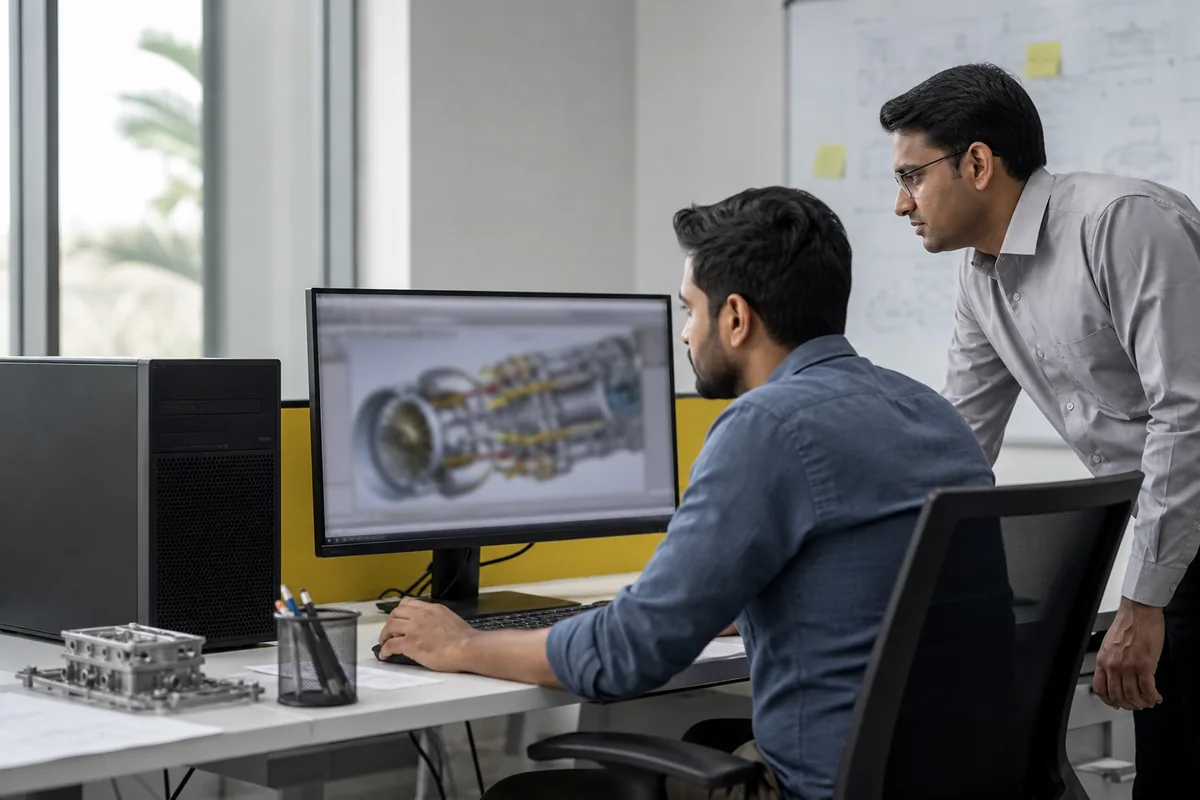
Ask whether the proposed system is a desktop workstation, a mobile workstation laptop or simply a high-spec consumer machine. Each has different portability, power, cooling and peripheral implications.
4. Compare Processor, Memory, Graphics and Storage
Processor
Confirm core requirements, architecture compatibility and whether the work benefits from sustained multi-core performance or faster single-thread response. Rentopay’s processor guide explains the main selection factors.
Memory
Estimate the combined memory used by the primary application, browser, collaboration tools, local services and test environments. Review the RAM planning guide, then validate the actual project workload.
Graphics
Integrated graphics may suit many development and analytical tasks. Dedicated graphics can be required for certain rendering, video, simulation, AI or visualisation workflows. Confirm application and driver compatibility instead of choosing a GPU only by its marketing tier.
Storage
Consider working-set size, temporary files, local datasets, project archives and security policy. Confirm whether files belong on the device, approved network storage or cloud services.
5. Balance Portability Against Sustained Work
A laptop reduces the need for separate computers across locations, but portability introduces limits around screen area, ports, cooling, weight and battery. A desktop workstation can offer a fixed high-capacity environment but requires a stable desk, power, monitor and remote-access plan if people work elsewhere.
Ask each role how often the user moves and which tasks must run locally. Do not assign a workstation to a user who mainly joins meetings, and do not assign a thin portable device to a workflow that requires sustained compute without testing it.
6. Include Displays, Docks and Peripherals
Technical productivity can depend on the complete desk. Record external monitor count and resolution, dock or adapter type, keyboard, mouse, headset, card reader and specialist connections. A laptop quote that omits the required adapters can leave the configuration unusable at the intended desk.
For fixed workstations, confirm monitor connections, power requirements, network connection and physical desk space. Include only accessories that are actually needed and confirm which are available.
7. Standardise by Technical Role
Create a small configuration catalogue for the team: a portable technical baseline, a higher-memory or graphics tier and a workstation tier. List the roles or application tests that qualify for each tier.
This approach keeps procurement understandable while allowing justified exceptions. It also gives the provider a clearer requirement than a request for “high-end laptops for developers.”
8. Test the Proposed Configuration
Where the workload is specialised, run a representative project on the proposed configuration before a wider deployment when the provider and business process allow it. Check application launch, builds or calculations, memory pressure, graphics behaviour, external displays and required peripherals.
A short test does not guarantee every future workload, but it can identify obvious compatibility or configuration gaps before the team is dependent on the device.
9. Prepare a Technical Rental Enquiry
Share the role-wise quantity, application list, operating system, processor or architecture constraints, minimum memory, storage, graphics needs, external displays, accessories, location and rental duration. Mention whether users are mobile or fixed at a desk.
For laptop-led team requirements, use Corporate Laptop Rental as the main commercial destination. If the requirement includes fixed desktop systems or workstation-class hardware, also review Rentopay’s computer rental options and ask what can be confirmed for the relevant location.