CPU vs GPU – The Powerful Difference You Need to Know
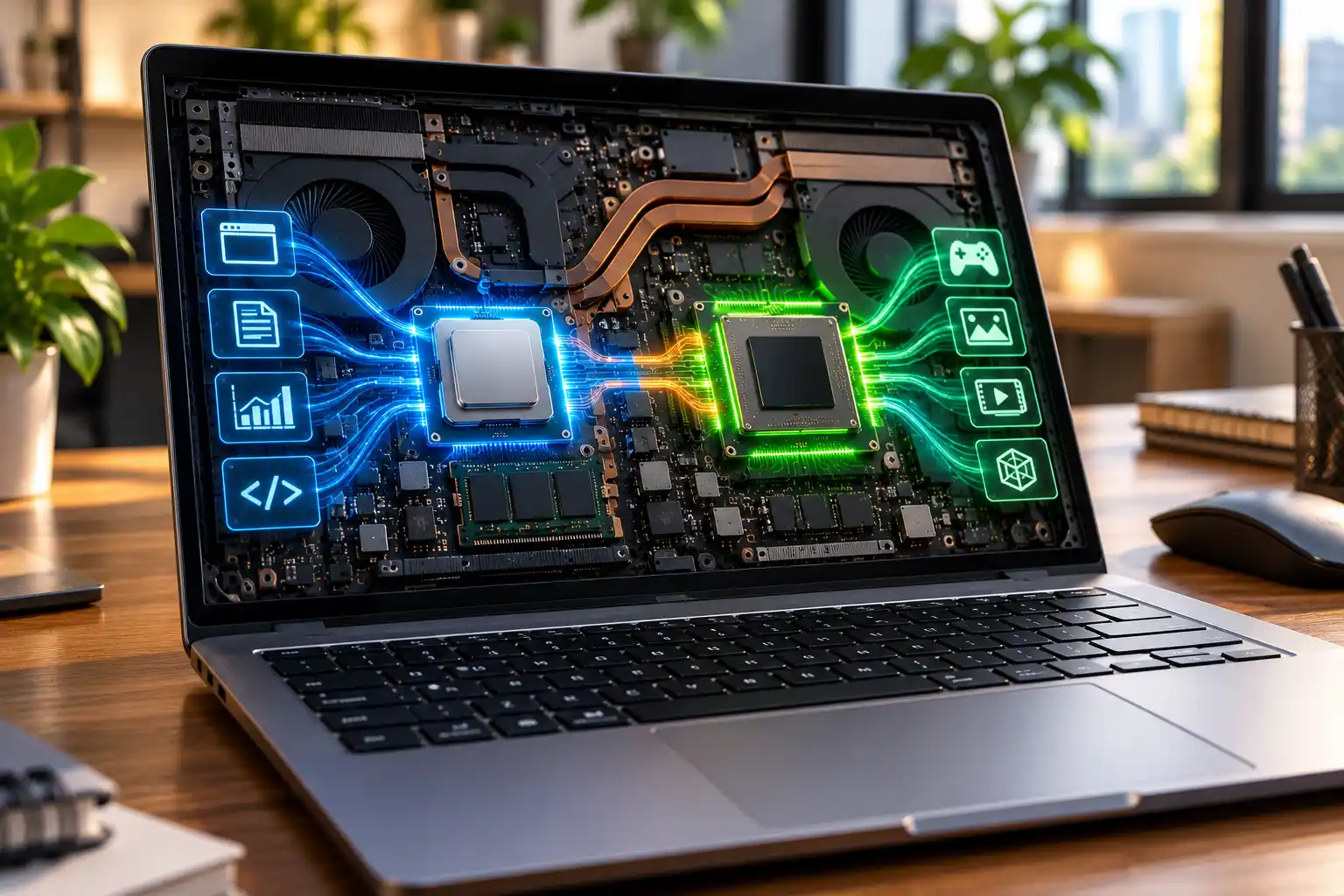
When comparing CPU vs GPU, the main difference is simple: a CPU handles general computing tasks, while a GPU specializes in graphics and calculations that can run in parallel.
The CPU, or Central Processing Unit, runs operating system instructions, applications, browser tasks, spreadsheets, coding tools and many everyday processes. The GPU, or Graphics Processing Unit, handles graphics and large groups of similar calculations efficiently.
For students, office professionals and business users, CPU performance usually matters more for everyday work. For gaming, video editing, 3D design and certain AI workloads, GPU performance becomes more important.
But this is not really a CPU versus GPU battle. Modern laptops use both. The right choice depends on your workload, software, budget and performance needs.
CPU vs GPU: What Is the Main Difference?

The key difference between CPU and GPU lies in how they process instructions. CPUs excel at varied, logic-heavy tasks, while GPUs excel at processing many similar calculations together.
According to Intel’s CPU vs GPU explanation, CPUs focus on low-latency execution and strong individual processing cores, while GPUs are designed for high-throughput parallel workloads.
|
Feature |
CPU |
GPU |
|---|---|---|
|
Full form |
Central Processing Unit |
Graphics Processing Unit |
|
Main role |
General computing |
Graphics and parallel computing |
|
Best suited for |
Office, browsing, coding |
Gaming, rendering, AI |
|
Processing style |
Varied complex instructions |
Many similar calculations |
|
Memory |
Mainly system RAM |
Shared RAM or dedicated VRAM |
Think of the CPU as a skilled manager handling different decisions. The GPU is like a large specialist team capable of working on many similar jobs at the same time.
Both are important, but for different reasons.
What Does a CPU Do in a Laptop?
The CPU acts as the main general-purpose processor in a laptop and affects how quickly many applications, calculations and system operations respond.
Every time you open software, browse websites, work on Excel, compile code or switch between applications, the CPU handles instructions required to complete those actions.
Four CPU specifications commonly affect performance:
- CPU cores: Multiple cores allow the processor to handle more work simultaneously when software supports it.
- Clock speed: Measured in GHz, this represents operating frequency, but GHz alone does not determine performance.
- Cache: Fast memory located close to the processor helps reduce the time needed to access frequently used information.
- Processor architecture: Newer designs can deliver better performance and efficiency even at similar clock speeds.
This is why choosing between laptops based only on labels such as Core i5 and Core i7 can be misleading. Exact model, processor generation, cooling and power limits also matter.
Rentopay’s guide on what makes a laptop fast explains how CPU, RAM and storage work together.
GPU Explained: What Does a GPU Do?
A GPU specializes in graphics processing and highly parallel workloads, allowing it to perform large numbers of similar mathematical operations efficiently.
The GPU originally became important for rendering computer graphics. Modern GPUs now support gaming, video editing, 3D modelling, scientific computing and certain artificial intelligence workloads.
For example, rendering a complex image requires calculations across millions of pixels. Instead of asking a few powerful CPU cores to process everything sequentially, a GPU can divide suitable work across many processing resources.
The AWS explanation of CPUs and GPUs describes this distinction as general-purpose processing versus highly parallel computation.
However, having a powerful GPU does not automatically make every application faster. The software must support GPU acceleration and have work that benefits from parallel processing.
Laptop CPU vs GPU: Which Matters More?
For everyday computing, CPU performance usually has the broader impact. GPU capability becomes increasingly important when software relies heavily on graphics or parallel processing.
For students doing online classes, presentations, browsing and basic programming, a modern CPU with integrated graphics is usually enough.
Office professionals using Excel, CRM platforms, accounting applications, browsers and video meetings also rarely need a high-performance dedicated GPU.
Developers have more varied requirements. Web development generally depends more on CPU, RAM and storage. Game development, AI development and 3D applications can place much greater demand on the GPU.
Students and professionals choosing a development machine can also read Rentopay’s guide to the best laptops for coding and programming in India.
The important point in any laptop CPU vs GPU comparison is to start with your software rather than specifications.
Processor vs Graphics Card and How They Differ
A processor and graphics card are not the same component. Processor usually refers to the CPU, while a graphics card contains graphics-processing hardware built around a GPU. GPU and graphics card are also not technically identical terms, even though people often use the terms interchangeably.
The GPU is the actual graphics processing chip, while a desktop graphics card contains the GPU along with components such as VRAM, power circuitry and cooling. These components work together to handle demanding graphics and visual processing tasks.
Laptop designs work differently because many laptops use an integrated GPU built into or closely connected with the processor platform. Higher-performance laptops may include a separate discrete GPU for workloads that need greater graphics power.
When comparing processor vs graphics card, check the actual CPU and GPU models, their performance capabilities and your software requirements instead of relying only on broad product labels.
Integrated GPU vs Dedicated GPU for Laptop Performance
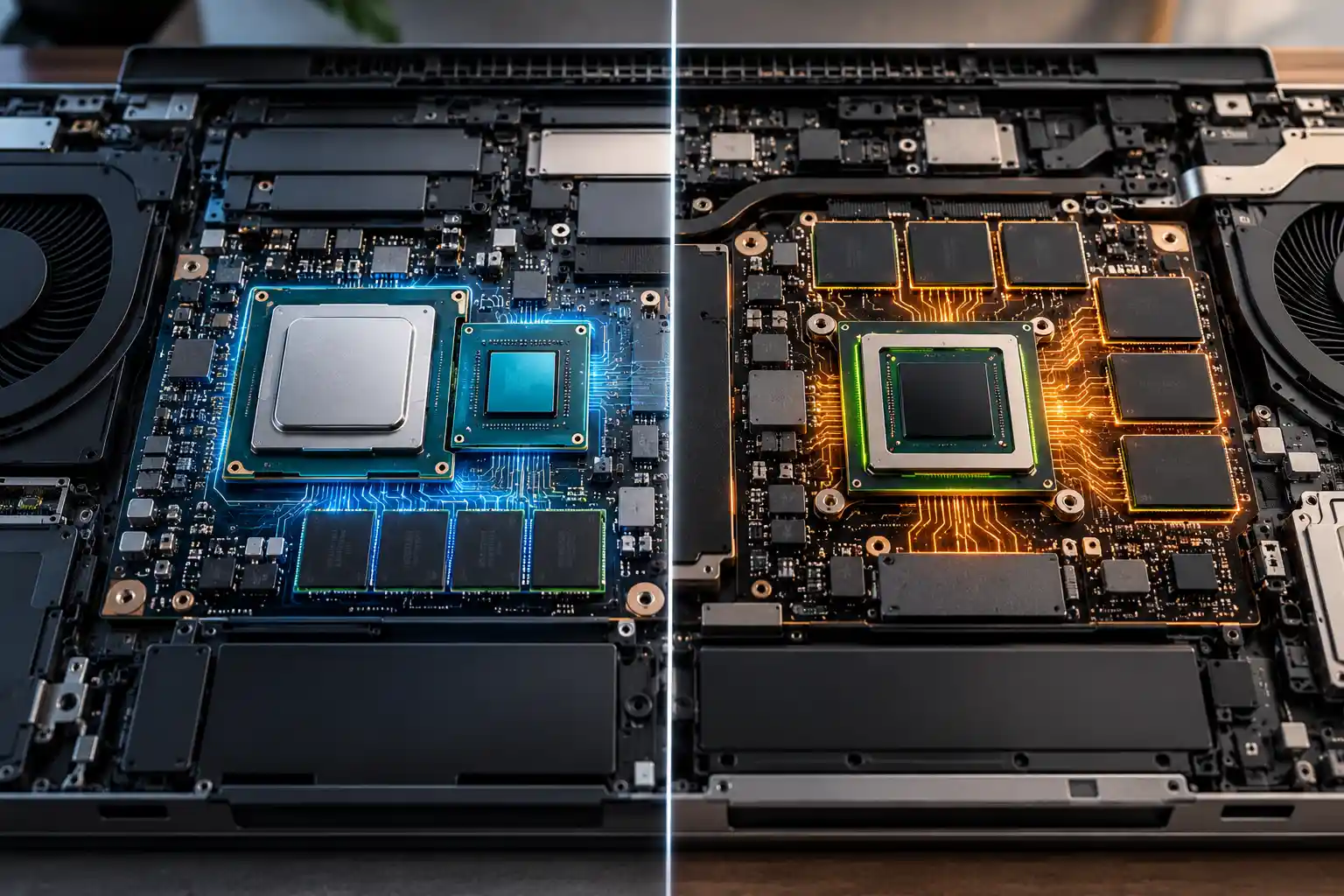
Integrated graphics are designed for efficiency and everyday computing, while dedicated GPUs provide more processing power for demanding visual and computational workloads. The right choice depends on the applications you use and the level of graphics performance they require.
An integrated GPU shares system memory and other resources with the computer. Modern integrated graphics can comfortably handle web browsing, streaming, office applications, video calls and lighter creative workloads without requiring separate graphics hardware.
A dedicated GPU is a separate graphics processor and commonly includes dedicated graphics memory called VRAM. This extra processing capability makes dedicated GPUs better suited to workloads such as:
- Modern gaming
- 3D modelling and rendering
- Professional video editing
- CAD and engineering applications
- Certain AI and machine-learning workloads
The trade-off is higher power consumption and heat. Dedicated graphics can use more electricity under demanding workloads and require stronger cooling, which may affect laptop battery life, weight and overall thermal performance.
CPU vs GPU for Gaming and Creative Work
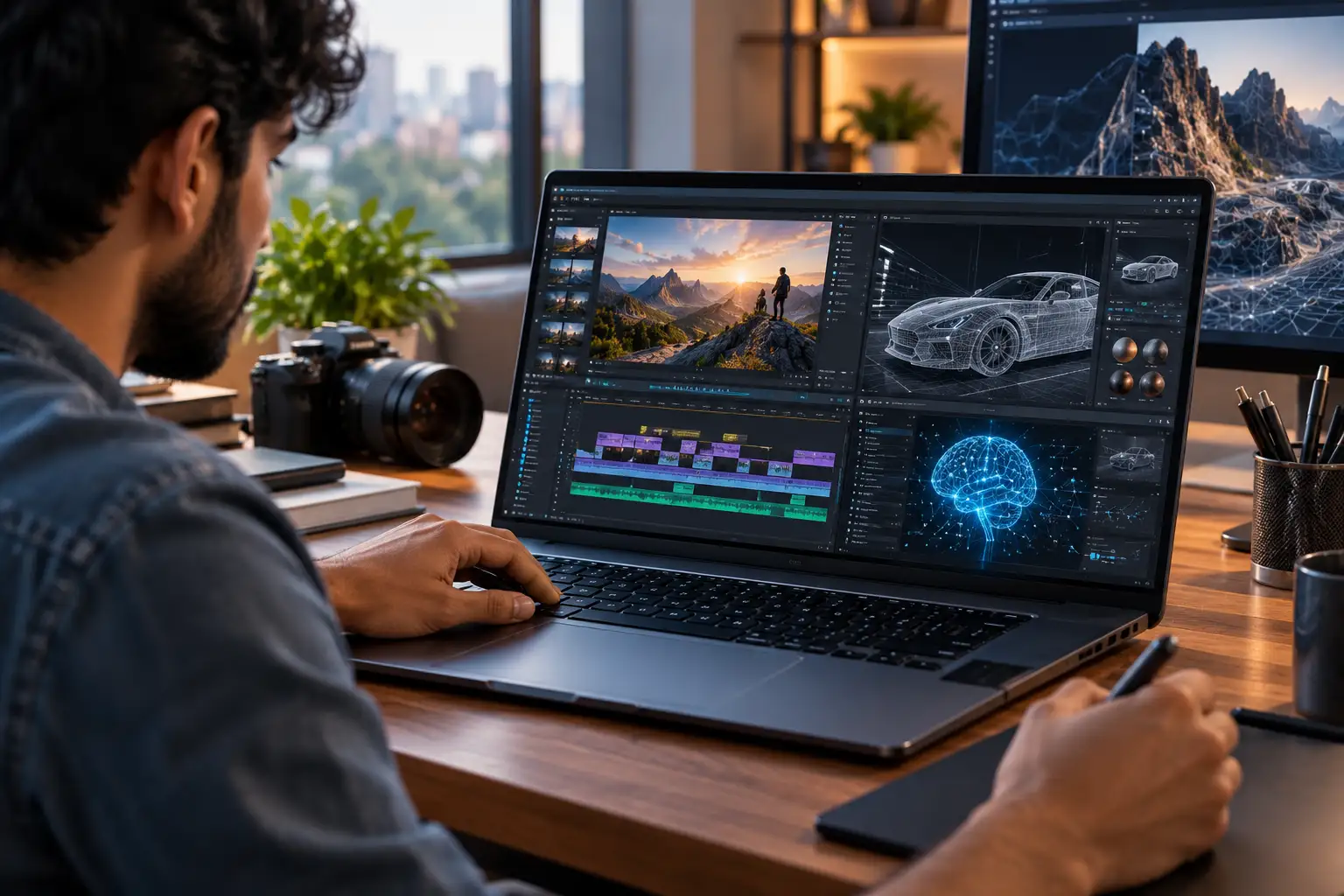
Gaming and professional creative applications usually require both processors because the CPU and GPU handle different parts of the workload. Good performance depends on having a suitable balance between the two rather than simply choosing the most powerful component.
In gaming, the CPU manages tasks such as game logic, instructions and background calculations, while the GPU handles rendering, textures, lighting, visual effects and frames. A very powerful GPU paired with a weak CPU can still encounter performance limits, and the opposite can also happen when the graphics processor cannot keep up.
Video editing works in a similar way because different parts of the workflow rely on different hardware resources. The CPU remains important for application processing and many encoding tasks, while supported GPU acceleration can improve previews, visual effects and rendering performance.
Graphic designers doing mostly 2D work may not need the same GPU power as professionals working with complex 3D models or high-resolution video. For a deeper look at creative hardware requirements, see Rentopay’s guide to the best laptops for video editing.
CPU vs GPU for AI and Machine Learning Workloads
GPUs play an important role in modern AI because many machine-learning calculations can run in parallel. However, everyday AI users do not automatically need expensive graphics hardware simply because they use tools such as ChatGPT or Gemini.
When you use ChatGPT, Gemini or similar cloud-based tools through a browser, much of the demanding AI computation happens on remote servers. Your laptop still needs enough performance for the browser and other applications, but it does not perform the full AI workload locally.
The requirements change when you run AI models directly on the laptop. Local machine learning, model training, AI image generation and some development workloads can require substantially more GPU performance and VRAM to process large amounts of data efficiently.
Modern laptops may also contain an NPU, or Neural Processing Unit, designed to accelerate supported AI tasks while using power efficiently. NVIDIA’s CUDA programming documentation explains the broader advantage of GPU parallel processing for computational workloads.
CPU, GPU and NPU should therefore be viewed as specialized processors that complement each other. The best combination depends on whether the laptop is being used for everyday cloud AI tools, local AI processing, software development or demanding machine-learning workloads.
Does a Better GPU Always Make a Laptop Faster?
No. A better GPU improves performance only when your applications can use its graphics or parallel-processing capabilities effectively.
A laptop can still feel slow because of insufficient RAM, slow storage, an older CPU, overheating or background software.
For example, buying a laptop with an expensive dedicated GPU will not necessarily make large spreadsheets dramatically faster. Likewise, a powerful CPU cannot replace the graphics performance required by demanding 3D software.
Balanced hardware matters more than one impressive specification.
Rentopay’s Take: Choose Hardware for the Work
The best CPU vs GPU configuration is not the most expensive combination. It is the combination that matches what the laptop will actually do every day.
For students, sales teams, administrative staff and many business professionals, a modern CPU, sufficient RAM, SSD storage and integrated graphics may provide excellent performance.
Designers, video editors, engineers, game developers and professionals running supported local AI workloads may need a dedicated GPU with suitable VRAM.
A designer and an accountant may work for the same company but have completely different hardware requirements. Buying the same high-end configuration for everyone can increase IT costs without improving productivity.
Laptop rental gives businesses another option. Teams can select configurations based on employee roles, project requirements and rental duration instead of committing to one hardware specification for every user.
Rentopay provides laptop rental options for students, professionals, startups and businesses across India, making it easier to match hardware with actual workload requirements.
Final Thoughts on the Difference Between CPU and GPU
The CPU vs GPU comparison is about specialization, not choosing one winner.
The CPU handles general computing, application logic and operating system tasks. The GPU specializes in graphics and workloads that benefit from parallel processing.
For browsing, office applications, studying and general business use, prioritize a capable CPU, enough RAM and SSD storage. For gaming, professional video editing, 3D applications and demanding local AI workloads, GPU performance and VRAM become more important.
Before choosing or renting a laptop, check the applications you actually use and their recommended hardware specifications. That gives you a much better answer than simply choosing the laptop with the highest CPU or GPU number.
CPU vs GPU FAQs: Laptop Processor and Graphics Questions
Understanding CPU vs GPU specifications becomes easier when you connect them to real laptop use. These common questions cover processor performance, graphics cards, gaming, students and AI workloads.
1. What Is the Difference Between CPU and GPU?
A CPU handles general computing, application logic and operating system instructions. A GPU specializes in graphics and parallel calculations. Modern laptops use both, although the GPU may be integrated or dedicated.
2. Laptop CPU vs GPU: Which Is More Important?
For normal office work, browsing and studying, CPU performance generally matters more. GPU performance becomes increasingly important for gaming, 3D modelling, professional video editing and supported AI workloads.
3. Processor vs Graphics Card: What Is the Difference?
A processor usually refers to the CPU. A graphics card contains a GPU and supporting hardware for graphics processing. Many laptops use integrated graphics instead of a separate graphics card.
4. CPU vs GPU: Which Is Better for Gaming?
Gaming needs both. The CPU handles game logic and instructions, while the GPU renders graphics and frames. Which matters more depends on the game, resolution, settings and target frame rate.
5. Do Students Need a Dedicated GPU?
Most students do not. Integrated graphics are usually sufficient for online classes, Office, browsing and general programming. Animation, architecture, engineering, gaming and AI courses may require stronger graphics.
6. CPU vs GPU: Which Is Better for Video Editing?
Both matter. The CPU handles general processing, while supported GPU acceleration can improve effects, previews and rendering. RAM, SSD speed and VRAM also influence video-editing performance.
7. Do AI Tools Need a Powerful GPU?
Browser-based cloud AI tools usually do not require a powerful local GPU. Running or training supported AI models directly on a laptop can require considerably more GPU performance and VRAM.
8. Can a Laptop Work Without a Dedicated GPU?
Yes. Most everyday laptops can use integrated graphics for browsing, streaming, Office applications and video calls. Dedicated graphics are mainly required when the workload demands higher graphics or compute performance.