Laptop Build Quality – Metal vs Plastic Body Compared
Laptop build quality affects how a device feels when you type, carry it and open its lid every day. A silver finish may look premium, but it does not tell you how well the hinges are mounted or how securely the ports fit. A well-designed plastic model can be a more practical choice than a poorly assembled metal one.
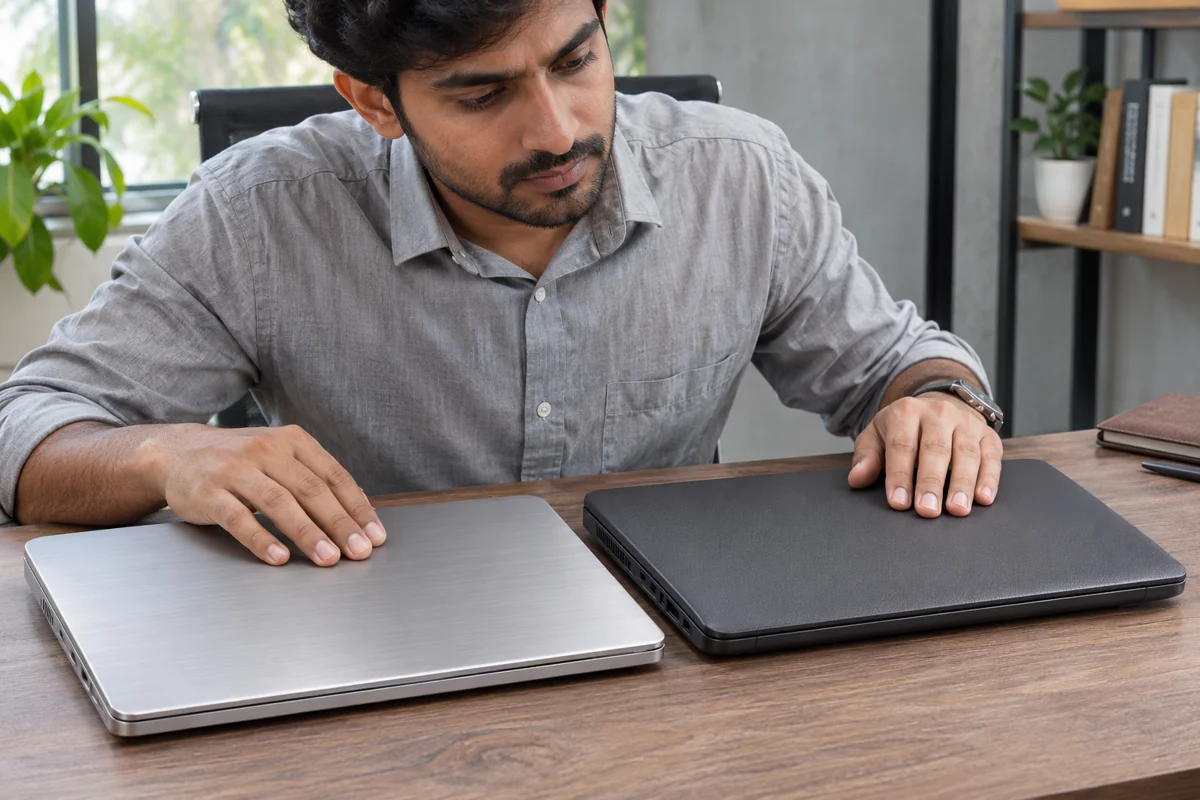
This aluminium vs plastic laptop comparison explains what each material offers, where the compromises appear and what to inspect before buying or accepting a rental. Start with the complete device: its construction, condition, weight and suitability for your work.
What Does Laptop Build Quality Really Mean?
Good construction combines a stable keyboard deck, securely mounted hinges, neatly fitted panels and usable ports. The outer material is only one part of that system. Internal reinforcement, screws, attachment points and manufacturing tolerances also influence how the laptop holds together.
The term metal body laptops often refers to aluminium-alloy construction, although magnesium alloys and mixed-material designs also exist. An aluminum laptop body may include a metal lid with a different material underneath. Ask which panels are metal rather than assuming the entire enclosure uses one material.
Likewise, plastic body laptops vary considerably. Reinforced designs can feel firm and dependable, while thin, unsupported panels may flex during normal handling. Judge the exact model and its condition instead of treating all plastic construction as identical.
Aluminium vs Plastic Laptop – A Practical Comparison
Both materials can work well for study, office tasks and travel. The useful question is which complete design suits your budget and routine. Material alone cannot establish durability, cooling performance or repair cost.
|
Check |
Metal construction |
Plastic construction |
|---|---|---|
|
Everyday feel |
Can offer a firm, premium-feeling surface; design still matters. |
Can be stable when panels and mounting points are reinforced. |
|
Heat at the surface |
Spreads heat readily and may feel warmer to the touch. |
Conducts less heat; a cooler surface does not prove cooler components. |
|
Damage to inspect |
Dents, sharp edges, distorted panels and damaged hinge mounts. |
Cracks, loose corners, broken clips and damaged hinge mounts. |
|
Carrying weight |
Depends on the complete design, battery and dimensions. |
Depends on the complete design, battery and dimensions. |
|
Repair costs |
Check parts availability and which assemblies must be replaced. |
Check parts availability and which assemblies must be replaced. |
How Do Body Material, Hinges and Cooling Work Together?
A firm lid is helpful, but it still depends on secure hinge mounts. Watch the area around the hinges while opening the display normally. Lifting panels, clicking noises or a hinge separating from the base deserve attention. Avoid repeatedly forcing a stiff mechanism to test it.
Metal conducts heat more readily than plastic, so a warm palm rest or base does not automatically mean the processor is overheating. Heat pipes, fans, vents, power limits and room conditions all affect operating temperatures. An aluminum laptop body cannot compensate for blocked vents or an inadequate cooling system.
For a practical explanation of airflow and maintenance, read our laptop overheating prevention guide. Compare independent testing of the exact configuration when temperature and fan noise matter to your work.
Check the specification sheet carefully, too. Dell’s Inspiron 15 3535 material specifications list plastic and aluminium configurations, showing why a model-family name alone may not identify the chassis you will receive.
Are Plastic Body Laptops Good Enough for Daily Use?
For classes, spreadsheets, browsing and video meetings, a stable plastic chassis can be entirely suitable. If your laptop mostly stays on a desk, a comfortable keyboard, reliable hinges and enough memory may bring greater value than a more expensive exterior.
Plastic body laptops should still be checked for cracks near the hinges, damaged screw mounts and loose corners. Existing damage matters more than a generic claim about the material. A small cosmetic mark is different from a panel that moves because its mounting point has failed.
- Students: prioritise a manageable carrying weight, a protective sleeve and a keyboard that feels stable.
- Office users: check palm-rest comfort, port placement and how the screen behaves during typing.
- Rental customers: record the supplied condition and raise functional defects before accepting the device.

When Does an Aluminum Laptop Body Make Sense?
Metal body laptops can appeal to people who prefer a rigid feel, a particular finish or a thin design. These advantages depend on the construction: panel thickness, internal support and hinge design still matter. Like other devices, metal body laptops may dent or develop scratches, and a premium appearance is not a promise of drop resistance.
Do not assume metal means heavier or plastic means lighter. Display size, battery capacity, cooling hardware and overall dimensions can outweigh the material difference. Compare the published weight of the exact machines, then consider the charger and accessories you carry.
In an aluminium vs plastic laptop decision, repairability deserves equal attention. Ask about replacement-panel availability and service access. A one-piece assembly may require a larger replacement part after damage; another design may permit a smaller repair. Prices depend on the model and available parts.
Durability labels also need context. Lenovo’s explanation of ThinkPad MIL-SPEC testing notes that controlled tests do not guarantee future performance and that abuse is outside standard warranty coverage. Read the actual test and warranty details rather than assuming a badge makes a laptop indestructible.
How to Inspect Laptop Build Quality Before Renting
Inspect the device on a flat surface in good light. Use normal operating movements; twisting the base, pressing hard on the display or performing a drop test can create damage. Spend a few minutes checking the parts you will touch throughout the rental period.
- Open and close the lid gently. Look for smooth movement and secure hinge mounting.
- Type a short paragraph. Check for loose keys, unusual deck movement and a raised trackpad.
- Inspect panel seams, corners and the underside for cracks, missing screws or separation.
- Test the charging connection and the ports you need, without forcing connectors.
- Confirm that rubber feet are present and the base sits evenly.
- Photograph existing marks and confirm how damage or faults should be reported.
Unexplained bulging or a raised trackpad can indicate a swollen battery rather than a cosmetic issue. Stop using the device and contact the provider or manufacturer; HP’s swollen-battery guidance recommends discontinuing use when swelling is noticed.

Rentopay Brand Take – Judge the Device, Not the Finish
Our recommendation is to start with your workload and inspect the individual device. A machine with a fashionable exterior can still be unsuitable if it lacks memory, has awkward ports or shows hinge damage. A simpler enclosure may meet your needs comfortably when the rest of the specification is appropriate.
Before enquiring, list your software, rental dates and carrying requirements. Our guide on how to rent a laptop explains the questions to ask when comparing options. Confirm the exact model, condition and applicable rental terms with the team.
Which Body Material Should You Choose in India?
For frequent commuting, assess total carrying weight and use a padded bag regardless of the chassis material. For long desk sessions, prioritise keyboard comfort, display stability and ventilation. For shared team devices, consistent configurations and a clear condition-recording process can matter more than matching finishes.
Metal body laptops are worth considering when the specific design provides the rigidity and finish you want at a sensible cost. Compare them against well-built alternatives with similar specifications rather than paying extra for a material label alone.
Body material does not make the processor faster or replace adequate memory. If you are balancing the enclosure against performance specifications, our guide to how much RAM you need can help you decide where to spend your budget.
Conclusion
Choose the laptop as a complete tool. Check its hinges, panel fit, keyboard support, weight, cooling and condition alongside the material. Plastic body laptops can serve everyday work well, while a well-engineered metal design may offer the feel and finish you prefer. The better choice is the device that suits your routine and passes a careful inspection.
FAQs About Laptop Build Quality
These answers cover common questions about laptop materials, durability and what to check before renting. Always confirm the construction and condition of the exact model being offered.
1. Is a metal laptop always more durable than a plastic one?
No. Panel thickness, internal support, hinge mounting and assembly quality all matter. A reinforced plastic enclosure can be dependable, while a thin metal design can still develop dents or damaged mounting points.
2. What should an aluminium vs plastic laptop comparison include?
Compare rigidity during ordinary use, hinge stability, weight, keyboard support, repair options and price. Check the actual specifications because some laptops combine a metal lid with a plastic base.
3. Does an aluminum laptop body prevent overheating?
No. The enclosure can help spread heat, but cooling also depends on the fans, heat sinks, vents and power settings. A warm exterior alone does not establish whether internal components are overheating.
4. Which laptop material is lighter?
There is no universal winner. Screen size, battery capacity, thickness and cooling hardware also affect weight. Compare the listed weight of the exact models and include the charger in your travel calculation.
5. Can a plastic laptop be suitable for professional work?
Yes. A properly supported enclosure can work well for office applications, meetings and remote work. Performance depends on the processor, memory and storage, while construction should be evaluated through normal handling and inspection.
6. Are scratches the same as structural damage?
No. A surface mark may be cosmetic, while cracked hinge mounts, separating panels or loose ports can affect operation. Record existing marks and ask the rental provider to assess anything that looks structurally damaged.
7. Should I check the chassis when accepting a rental?
Yes. Inspect the hinges, keyboard, corners, ports and underside. Take photographs of existing wear and report functional problems promptly, following the provider’s acceptance and reporting process.
8. Is a protective sleeve useful for a metal laptop?
Yes. Both metal and plastic enclosures benefit from protection during transport. Choose a padded sleeve that fits properly and avoid carrying loose objects against the laptop or placing heavy loads on its lid.